Record from any external source
Capture any sound played by a computer,
record sound coming through a microphone or played
by an external device such as a tape player, LP
player etc.
|
|
|

Edit as easy as editing text
With this cool Advanced Audio Editor, music
editing will never be the hassle. You can see the
music now and you can edit audio data using the
brand new visual interface.
|
|

Burn - advanced CD burner
Advanced Audio CD burner features support
the ability to burn audio CDs from MP3, WMA, WAV,
and OGG files.
|
|
|
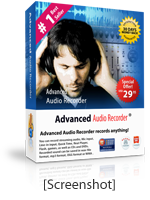
Advanced Audio Recorder can
record any sound passing through any line of your
sound card. For example, you can record sound being
played back by an external program, sound from a
microphone, an external LP, cassette, CD/DVD player,
AM/FM/Satellite radio, etc.
Audio recording with the top rated, easy-to-use
digital audio recorder.
With Advanced
Audio Recorder you can:
- Powerful Recorder Function
Can record any signal played through your sound
card from all multimedia files, Game, Flash,
Application, Streaming Audio, and peripheral
equipment saving as MP3, WAV, WMA, Ogg.
- CD quality for output files
The default quality setting of four output files
are CD Quality for CD burning, and if you want
to get more music into a disk space-saving condense
setting, you can change the quality of output
files yourself . The higher quality but with
a larger file size.
- Start, Pause, Stop, Restart - recording
automatically
Integrate the intelligent silent detector to
auto start , auto stop, auto pause, auto restart
for skipping silent passages, combining multi-files
in one file, snooping voice, Integrate the intelligent
silent detector to skip silent passages.
- Hotkey Setting
You can Create shortcuts on the Hotkey setting
area for all operation, perform operation even
the program is not a active window.
- Task Schedule
You can use Advanced Audio Recorder's powerful
built-in scheduler to schedule a playback or
a recording. For example, you can schedule a
recording and use a stop condition such as an
absolute time, a duration, the absence of a
sound signal, and so on. After a file has been
recorded, you can execute a command line and
shut down your computer when an automatic job
completes. The scheduler includes many other
options.
- Easy-to-use Cool interface and Flexible
Setting
Most functions can be called up with a simple
mouse click and hotkey, and the default setting
of the application's parameters is the best
possible performance. The default parameters
work in most cases, but you can change them
easily to best suit your needs.
- Audio filters
Apply High Pass Filter, Low Pass Filter, Notch
Filter automatically
- Free Audio Player
Audio Mid Recorder is not only a superb Audio
Recorder but also a very fine Audio Player.
- Free Upgrades
Registered users receive free upgrades and support
for life.
|
|
|
Read what our customers say about Advanced Audio
Recorder:
Richard Ellis, PC & Musik,
says:
"Advanced Audio Recorder is so well-thought-out,
easy to use, and cost-effective, it's hard
to think of a reason not to give it a try."
Jim Dunn, Digital Media Thoughts, says:
"Advanced Audio Recorder is a versatile
and comfortable audio editor with very good
effects and excellent tools for restoration
of old recordings or edit your own mp3
files. Thanks so much, your program is great."
Mike Allen, Electronic Musician, says:
"Advanced Audio Recorder's interface
is elegant and easy to use, and offers a
surprising number of high-quality audio treatments,
amazing value for money"
|
|
|
|
|
Sound cool?
Why not go ahead
and try Advanced Audio Recorder today?
You can
return Advanced Audio Recorder for whatever reason
if you don't like what you get. Guaranteed. |
Price: $29.95

or Download Free Trial
|
|
|
Screenshots
(click to enlarge)
Audio Recorder
Advanced Audio Recorder can record any
sound passing through any line of your sound card. For
example, you can record sound being played back by an
external program, sound from a microphone, an external
LP, cassette, CD/DVD player, AM/FM/Satellite radio,
etc.
About recmedia
Founded in 2005, recmedia was formed
by a group of digital aficionados dedicated to making
audio recording and processing as simple as brewing
a cup of coffee.
Our products have been well-received
and reviewed by PC World, CNet, MacNN, Yahoo!Tech, and
many other publications.
More than four million
people and businesses in 92 countries use recmedia software
to take care of their audio processing needs.
|



;)